













Ozwin Casino — Player Login and Account Access
How to Log In to Your Ozwin Casino Account
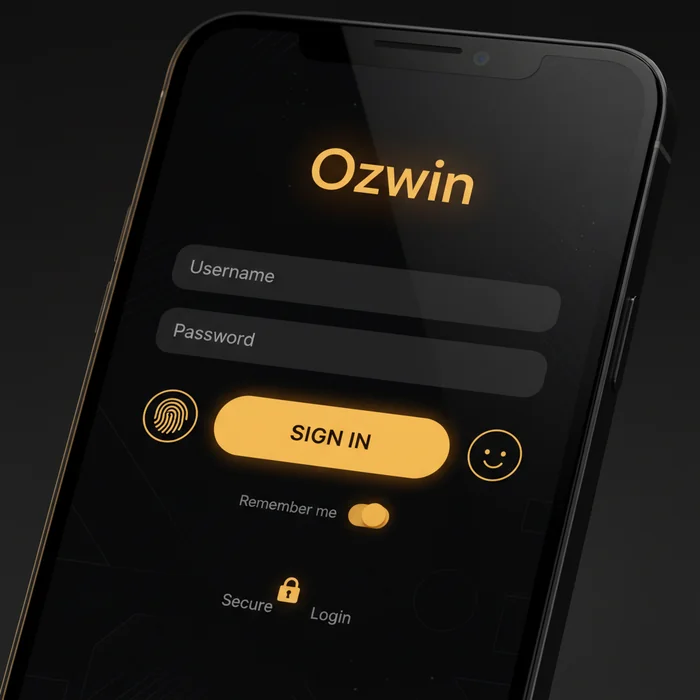
Many players assume the Ozwin login process differs depending on whether they're on a phone or laptop — it doesn't, but the experience is noticeably smoother on mobile in 2026. Whether you're tapping in on a 5G connection during your commute or loading the site on desktop at home, your credentials, your balance, and your active bonus offers are all waiting the moment you authenticate.
After signing in, your dashboard gives you immediate access to your full game library, any pending no-deposit chip offers (which range from $10 to $50 free chips for eligible accounts), cashback tracking, and your VIP tier status. The platform's mobile browser interface is optimised for both portrait and landscape orientation, so nothing is hidden behind awkward menus once you're in.
Entering Your Credentials on Desktop and Mobile Browser
On mobile, navigate to ozwinauscasino.com in Safari or Chrome — no app download is required to get started. The login button sits prominently in the top-right corner of the page and loads within seconds even on standard 4G. Tap it, and a clean two-field form appears: your registered email address and your password.
On desktop, the process is identical in structure. Type your email, enter your password, and hit the sign-in button. If you've enabled the "Remember Me" function on a trusted personal device, the email field auto-populates on return visits — cutting the process down to a single password entry. Do not use "Remember Me" on shared or public devices; we cover exactly why in the security section below.
| Login Method | Availability | Security Level |
|---|---|---|
| Email + Password | Desktop & Mobile Browser | Standard |
| Mobile App (browser-based PWA) | iOS & Android | Standard + optional biometric |
| Biometric (Face ID / Fingerprint) | Supported devices via browser/app | High |
| Two-Factor Authentication | Optional, account settings | High |
| One-Tap (saved credentials) | Desktop & Mobile via browser autofill | Medium (device-dependent) |
Forgot Password: Resetting Access to Your Ozwin Account
Forgetting a password is the single most common reason players contact support — and it's entirely avoidable with the right setup. Before we walk through recovery, note that creating a second account to bypass a forgotten password is a terms violation that can result in permanent closure of both accounts. Always recover your existing Ozwin account.
Step-by-Step Password Recovery Process
- Click "Forgot Password" on the login page — the link sits directly below the password field on both mobile and desktop.
- Enter your registered email address and submit the form. A reset link is dispatched immediately; delivery typically takes 2–5 minutes, though some Australian email providers (particularly Telstra BigPond addresses) can delay this by up to 15 minutes.
- Open the reset email and click the link within 60 minutes — the token expires after that window and you'll need to request a fresh one.
- Set a new password on the page that opens. Use a minimum of 8 characters including at least one number and one uppercase letter. Save it somewhere secure before confirming.
What to Do If Your Reset Email Does Not Arrive
First, check your spam or junk folder — automated password emails are occasionally filtered by Australian ISP-level spam gates, particularly on Optus and TPG-hosted mailboxes. If the email isn't there after 15 minutes, return to the login page and request a second reset link.
If a second attempt also fails, the address on file may differ from what you're entering. Common variations include a work email used during sign-up, or a typo in the original registration. In this case, contact support directly with your username or the name used during registration so the team can locate and verify your account manually. Resolution typically takes under 2 hours during business hours.
Troubleshooting Failed Login Attempts and Locked Accounts
Three consecutive failed login attempts will trigger a temporary access hold on your account. This is a standard fraud-prevention measure, not a penalty — but it does mean you cannot simply keep guessing. The hold lifts automatically after 30 minutes, or you can fast-track restoration by contacting the support team directly.
Why Your Account May Be Temporarily Suspended
Beyond failed password attempts, accounts can be placed under review for several specific reasons. Incomplete KYC (Know Your Customer) verification is the most frequent — if you deposited but haven't submitted identity documents, withdrawals and sometimes logins can be restricted. Australia's anti-money laundering regulations under the AML/CTF Act 2006 require operators accepting Australian players to apply due diligence checks, and Ozwin Casino applies these regardless of deposit size.
Other suspension triggers include: a chargeback filed against a previous deposit, activity flagged as inconsistent with your stated location, or a self-exclusion request you may have submitted and forgotten. Accounts inactive for an extended period (typically 12+ months with no login or transaction) may also be placed in a dormant state requiring reactivation. None of these situations require creating a new account — all are resolvable through the existing recovery process.
How to Contact Support to Restore Login Access
Live chat is the fastest route — available directly from the homepage and accessible without being logged in, which matters when you're locked out. Response times via live chat are typically under 5 minutes. Email support is available for non-urgent cases, with responses within 24 hours.
When contacting support about a locked account, have the following ready: your registered email address, the name used during sign-up, your approximate last successful login date, and (if applicable) the last deposit method used. This combination allows the support team to verify your identity without requiring you to be logged in. For account suspensions related to KYC, you'll be asked to upload a government-issued ID — an Australian driver's licence or passport works for this purpose.
Keeping Your Login Session Secure on Shared Devices
Australia's public spaces — airport lounges, hotel lobbies, university libraries — are full of shared screens and open Wi-Fi networks. Logging into your casino account on any of these without taking precautions is a genuine risk, not a theoretical one. A session left open on a shared device is an open invitation to account theft.
Best Practices for Account Security and Password Management
Always log out manually after each session on a device that isn't exclusively yours. Don't rely on closing the browser tab — some browsers restore sessions on relaunch. Use the explicit "Log Out" option found in the account menu. On mobile, if you're using the Ozwin app, enable biometric lock so the app requires Face ID or fingerprint to open, even if your phone is already unlocked.
For password management, avoid reusing the same password across multiple sites. A breach on an unrelated platform can expose your credentials here if they match. A dedicated password manager (1Password, Bitwarden, and Apple's built-in Keychain are all solid options used widely in Australia) removes the need to memorise complex passwords while keeping them unique per site. Your Ozwin password should be at least 12 characters and not based on a dictionary word.
Two-factor authentication adds a second verification layer — a time-sensitive code sent to your phone or generated by an authenticator app. Enable this in your account security settings. If you lose access to your 2FA device, contact support immediately; recovery requires identity verification but is completed within a few hours in most cases.
Australian players should also be aware of BetStop, Australia's national self-exclusion register. BetStop applies specifically to licensed wagering operators (sports betting) under Australian law — it does not extend to offshore casino sites. If you want to restrict your own access to this platform specifically, use the responsible gambling tools available directly in your account settings, which allow you to set deposit limits, cooling-off periods, or request a self-exclusion independent of BetStop. For broader support, Gambling Help Online (gamblinghelponline.org.au) operates a 24/7 counselling service at 1800 858 858 — free from any phone in Australia.
Ready to get back to the games? Head straight to the login page for instant access. If you're new to the platform, open your account here — your first two deposits are eligible for the 400% match welcome offer up to A$4,000 plus 100 free spins, with a A$20 minimum deposit to activate. The no-deposit free chip offers (between $10 and $50) are available to verified accounts and require no deposit at all. Whether you're signing in on a 5G connection or settled at home on broadband, Ozwin Casino is built to load fast, play smooth, and keep your session — and your account — exactly where you left it.